
Call reporting for Verizon One Talk
Know which calls were answered, which were missed, and who picked up.
One Talk tells you a call happened. MajX call reporting tells you how your team handled it: every call to your main number, by hunt group and by person, on a dashboard you can open anytime. Your team keeps the One Talk phones and lines they already use.
Answered Missed or abandoned
| Person | Answered | Avg ring | Outbound | Avg talk |
|---|---|---|---|---|
| Front desk | 142 | 0:11 | 38 | 2:48 |
| Dana R. | 96 | 0:13 | 104 | 4:05 |
| Marcus T. | 71 | 0:16 | 77 | 3:31 |
| Priya S. | 47 | 0:19 | 49 | 3:12 |
What you can see
The numbers a manager asks for, without pulling phone bills or asking each person how their day went.
Inbound and outbound activity
Every call in and out: who called or was called, when, how long it rang, how long it lasted and how it ended.
Answered, missed and abandoned
Answered calls, calls nobody picked up, and callers who hung up while it was still ringing, with how long each one waited.
Volume and duration
Call counts and talk time by hour, day, week and month, so you can see your busy times and staff for them.
Hunt groups and each person
For each hunt group and each associate: calls offered, calls answered, calls that rang out, time to answer and talk time.
History and export
One year of call history to search and compare. Download any report as a spreadsheet (CSV) for your own records.
Dashboards and scheduled reports
A live dashboard in your MajX portal, plus a summary emailed daily, weekly or monthly to the people you choose.
See it in the portal
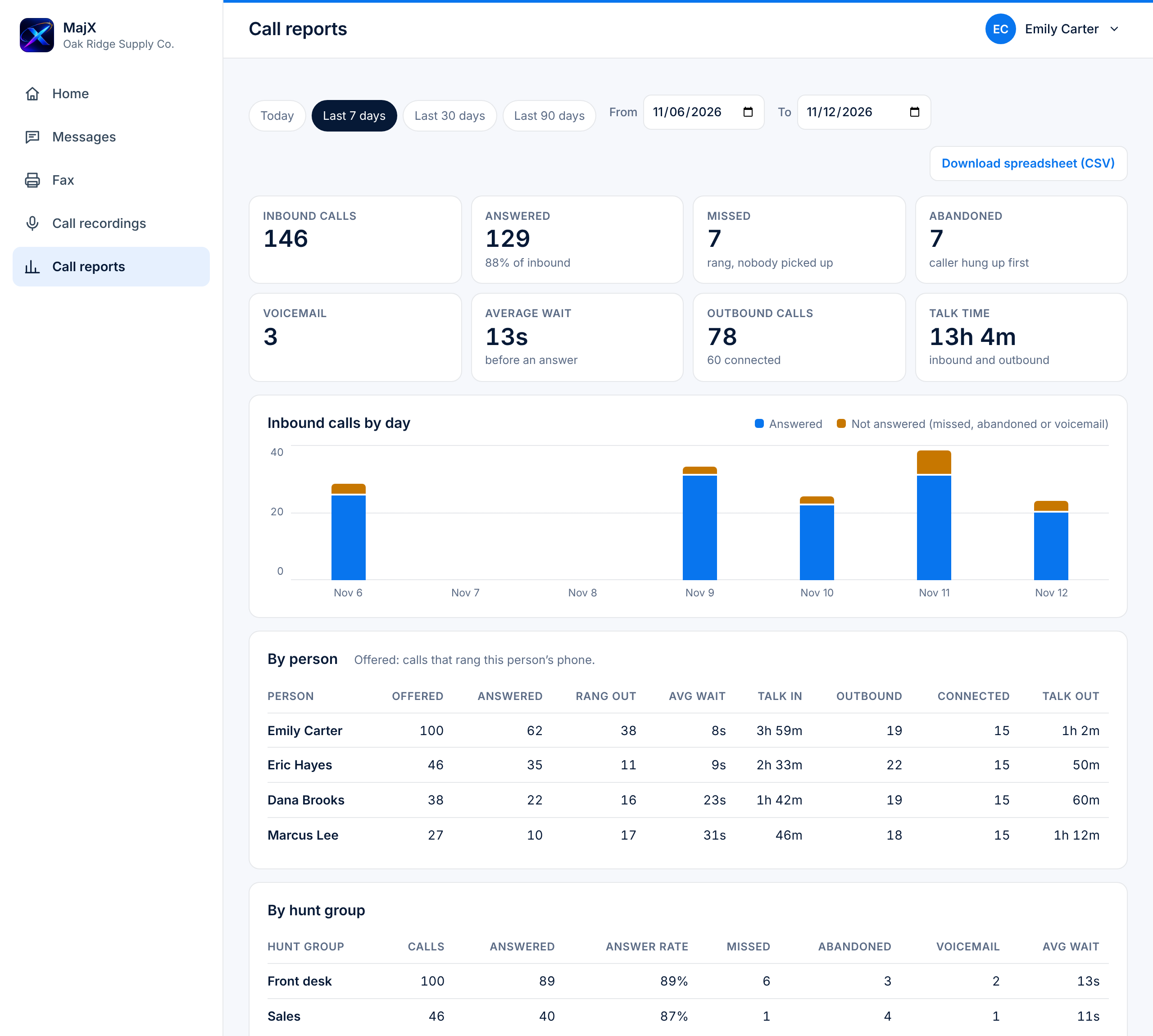
This is the Call reports tab your managers sign in to, shown with sample data for a made-up business. Open the demo to click through it yourself.
How it works
Nothing changes on your team’s desks. Calls still ring the One Talk phones and app they use today.
Your main number moves to MajX
We host the number your customers call and handle the transfer paperwork. Porting is free and your number stays the same.
Calls ring your One Talk lines
We rebuild your greeting, menu and hunt groups, then ring your existing lines in the order you choose. Every step of every call is logged.
Outbound goes through one key
Each person gets a one-button key on their One Talk phone: press it, dial, and the call is counted under their name. Customers still see your main number.
What is counted. Reports cover calls to the numbers MajX hosts for you and outbound calls placed with the one-button key. Calls dialed the regular way, calls to a person’s direct One Talk number, and calls between extensions go straight through Verizon and are not included. Always dial 911 directly, not with the key.
Who sees what
Reports live in the same MajX portal as your recordings, faxes and texts, with a login for each owner or manager who needs them.
- Administrator and manager loginsEach person signs in with their own login. You decide who can see reports.
- Live and historicalToday’s calls as they happen, and any date range in the past year.
- Reports by emailDaily, weekly or monthly summaries sent to the people you choose, with no sign-in needed to read them.
- Works with recording and AI answeringAdd call recording to hear the calls behind the numbers, or an AI voice assistant to answer the ones you miss.
Want to see your own numbers?
Tell us how many lines you have and which number your customers call. We’ll send a quote within one business day.